
前端时间用某家VPS,结果改了ssh端口后sshd服务不能启动了……
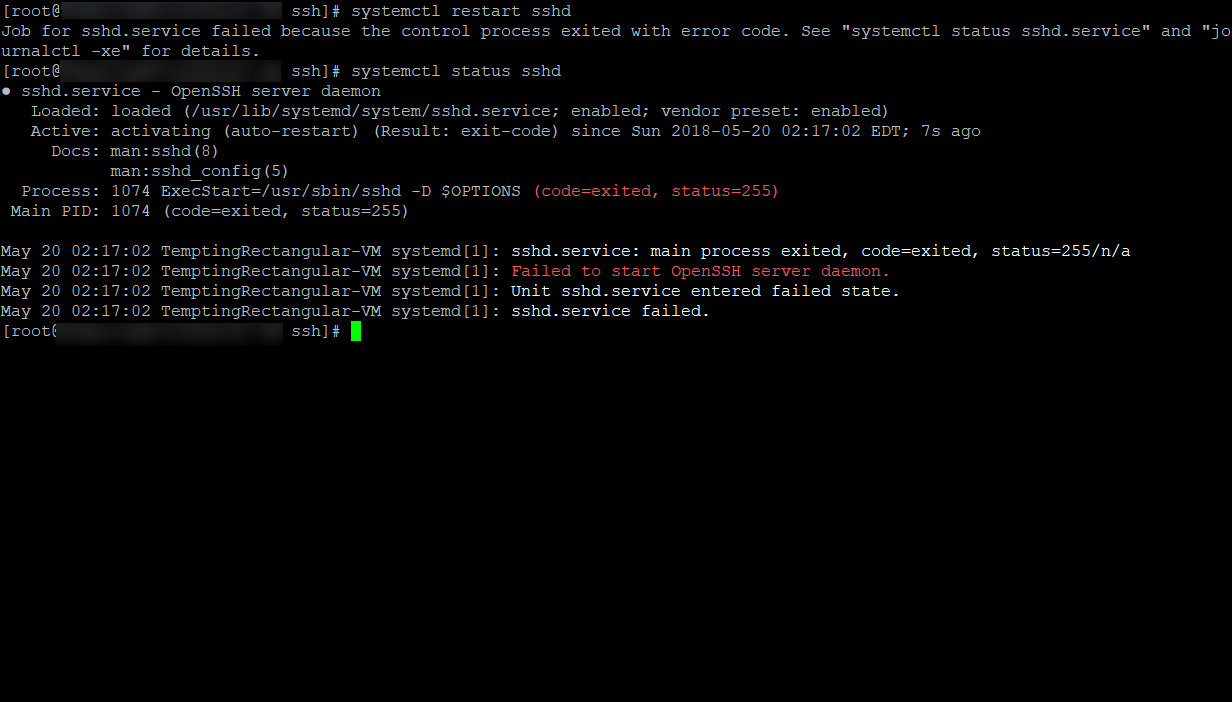
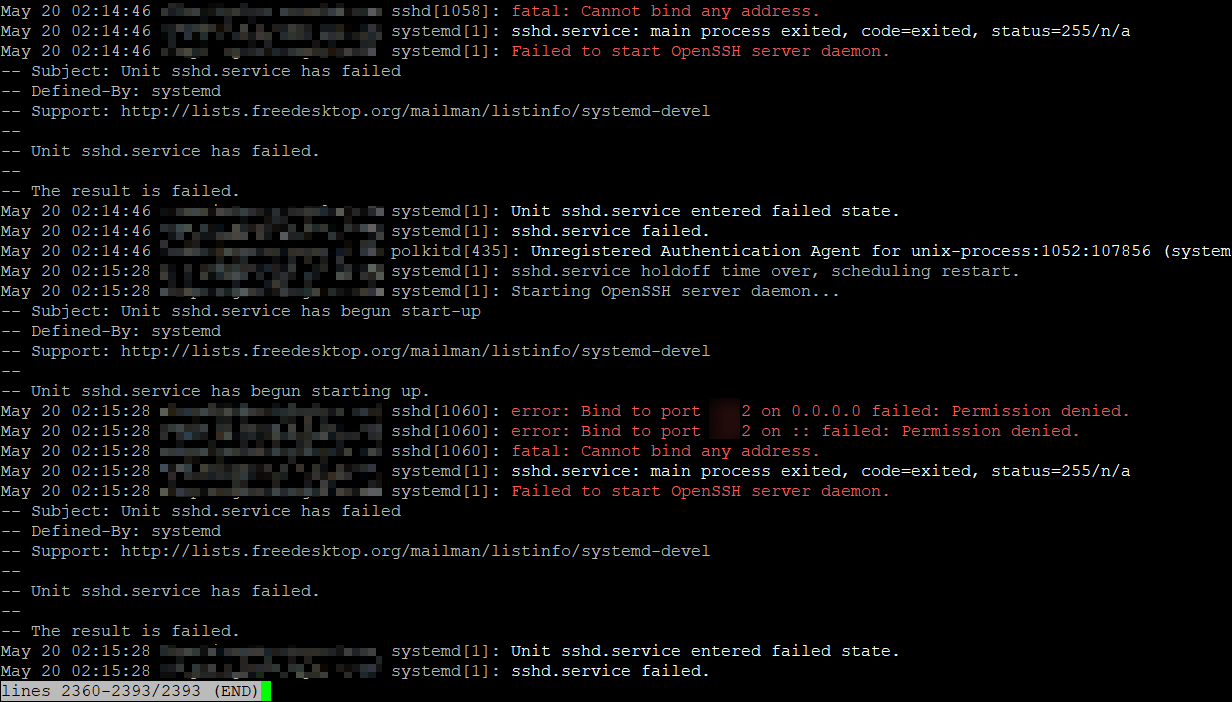
查了下发现是默认开启了SELinux的锅。自己VPS是个人使用,也没必要开SELinux。
查看SELinux状态:
/usr/sbin/sestatus -v      ##如果SELinux status参数为enabled即为开启状态
SELinux status:                 enabled
修改/etc/selinux/config文件,将SELINUX=enforcing修改为disabled
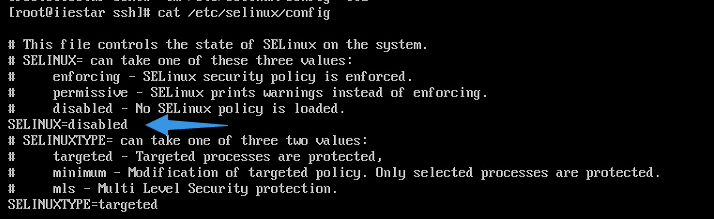
再重启sshd服务就行了
CentOS 7修改ssh默认端口导致无法启动sshd服务
https://ailitonia.com/archives/centos-7%e4%bf%ae%e6%94%b9ssh%e9%bb%98%e8%ae%a4%e7%ab%af%e5%8f%a3%e5%af%bc%e8%87%b4%e6%97%a0%e6%b3%95%e5%90%af%e5%8a%a8sshd%e6%9c%8d%e5%8a%a1/
本文被阅读了:4,809次
